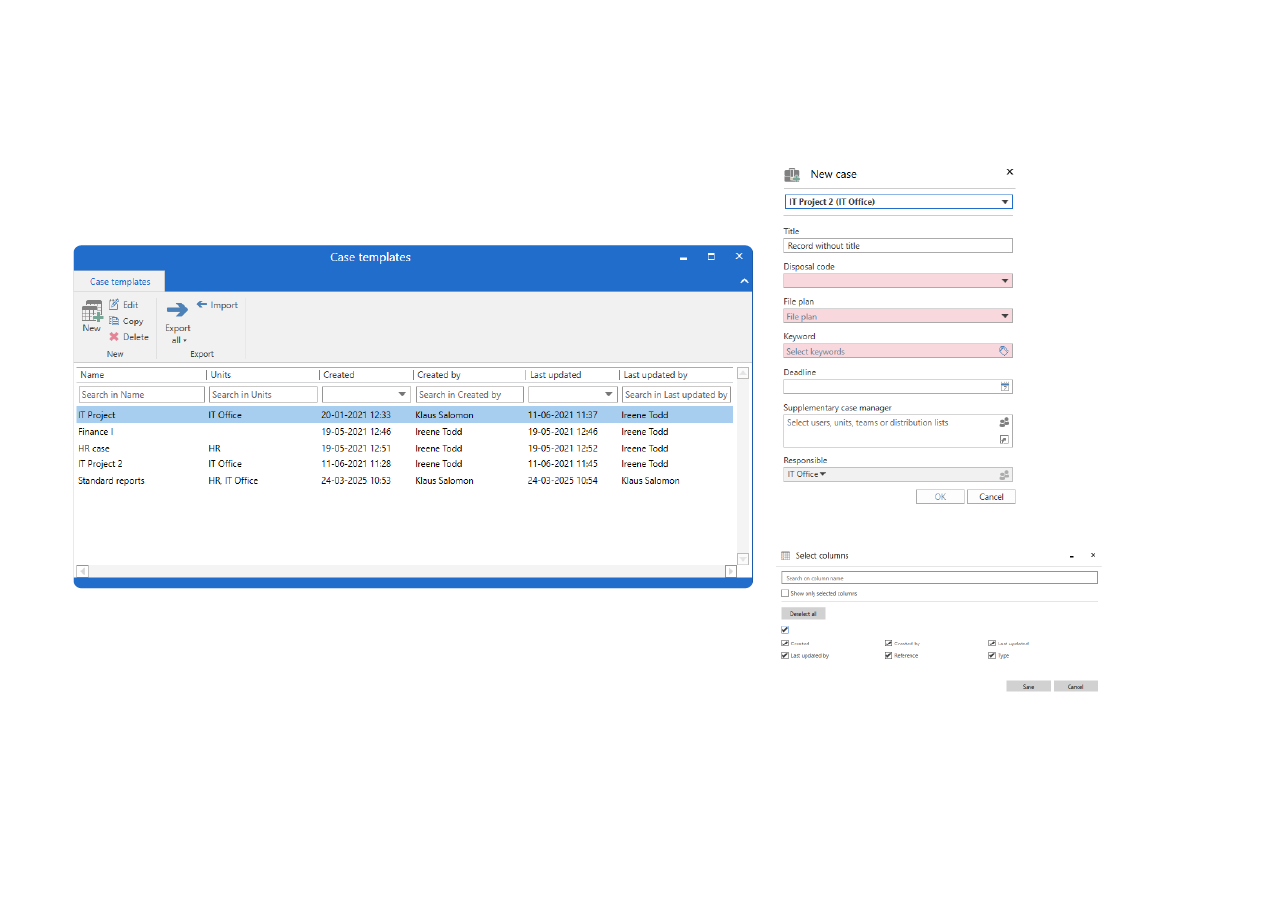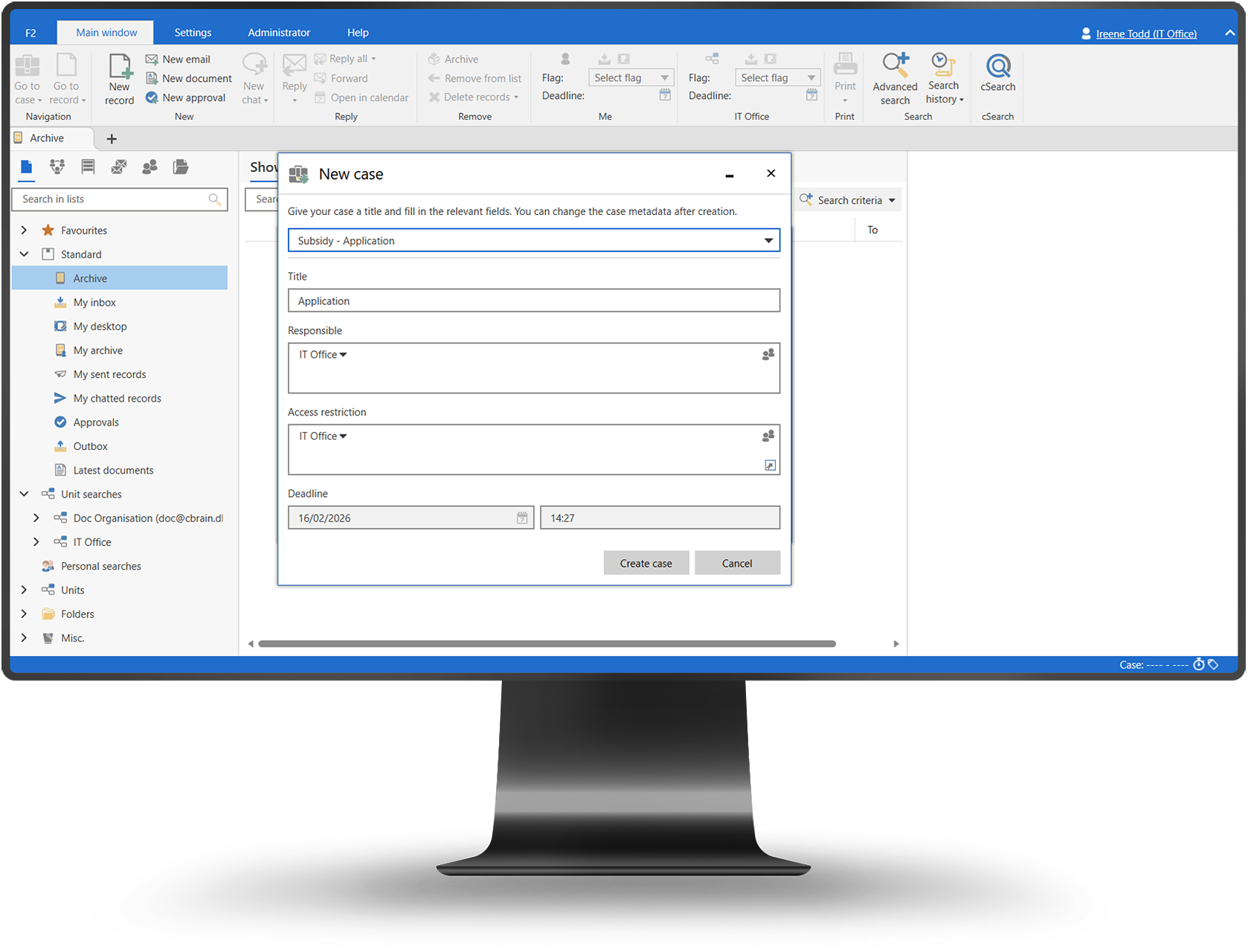
Standardize how cases are created and handled from the start.

Ensure cases are created consistently with predefined structures, roles, and rules.

Standardized setup. Ensure cases start with the right structure and rules.

Faster creation. Reduce manual setup and onboarding time.

Consistent quality. Enforce approved handling from day one.

Product overview

Reusable blueprints for case handling

  • Predefined case structures and metadata
  • Standard folders and document placement
  • Assigned roles and responsibilities
  • Embedded workflows and rules
  • Faster, error-free case setup

Book a demo

Key benefits

Faster setup
Cases are created quickly without manual configuration.
Consistent quality
All cases follow the same approved structure and rules.
Reduced errors
Templates prevent missing data and inconsistent handling.

Core capabilities

Template design
  • Define case metadata and attributes
  • Configure default roles and permissions
  • Include required folders and documents
Embedded logic
  • Apply workflows and milestones
  • Enforce business rules
  • Support compliant case handling
Reuse at scale
  • Apply templates across departments
  • Update templates centrally
  • Ensure organization-wide consistency

How it works

Approvals are surfaced to decision-makers through F2 Manager and F2 Touch, allowing secure review and action while maintaining full auditability.

Book a demo

How it works

A few simple steps are all that are needed to ensure a consistent and compliant process:

  1. Administrators define request types with workflows and rules
  2. Users submit requests using structured forms
  3. Requests are routed automatically to the right roles — also externally
  4. Decisions and approvals are documented
  5. Requests are completed with full audit trail

All steps are managed within the shared data model of cBrain F2, ensuring consistency across processes and products.

Book a demo

How it works

A few simple steps are all that are needed to ensure a consistent and compliant process:

  1. FOI requests are received via email, portals, or internal registration
  2. Requests are automatically structured as FOI cases
  3. Documents are collected, reviewed, and approved within the workflow
  4. Decisions and disclosures are formally documented
  5. Responses are sent with full traceability and audit logging

All steps are handled within the shared data model of cBrain F2, ensuring consistency and reuse across the organization.

Book a demo

Use cases

Regulatory cases

Ensure consistent handling of legally regulated cases.

High-volume cases

Standardize repetitive case creation at scale.

Cross-unit work

Align case handling across departments.

Trusted by government leaders

“Case templates helped us standardize how cases are started across the organization.”
Head of Case Management
“We reduced onboarding time significantly by using predefined case setups.”
Senior Case Officer
“Templates give us confidence that cases are compliant from the start.”
Information Governance Manager

Security & compliance

Built-in compliance

Templates enforce required structures and rules automatically.

Controlled access

Only authorized users can create or modify templates.

Audit support

Template use ensures predictable, auditable case structures.

Frequently asked questions

Can templates be customized?
Arrow Down Icon
Who manages templates?
Arrow Down Icon
Can templates be updated?
Arrow Down Icon

Ready to see how we can help you?

Please provide us with some information about yourself, and we will connect you with the most suitable expert. We offer a range of options, from a discussion on your digitalization challenges to a complimentary consultation reviewing your current processes.
Thank you, we have received your request and will be in touch shortly.
Oh no! Something went wrong while submitting the form. Please try again.

How it works

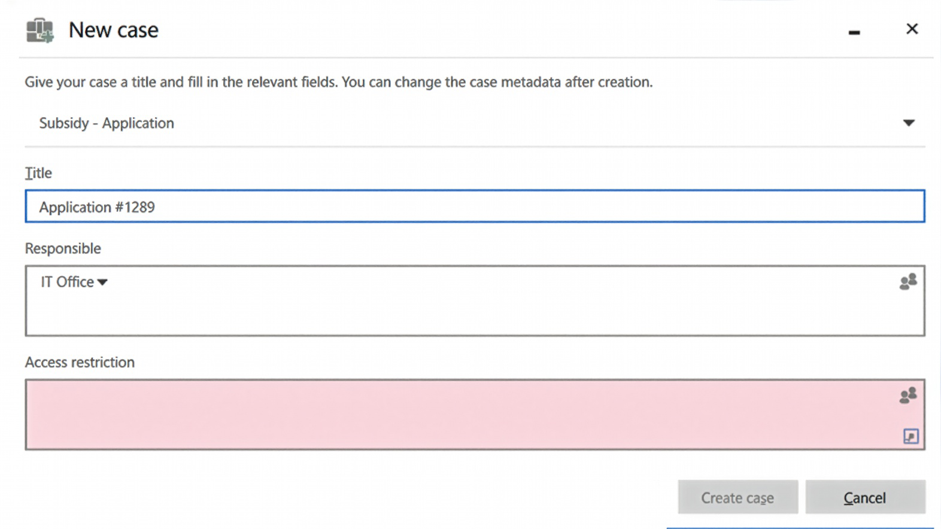
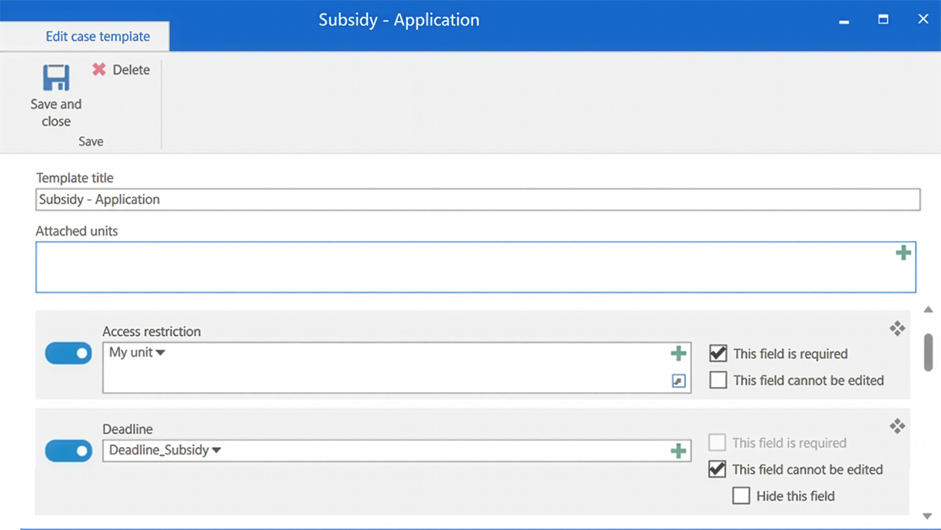
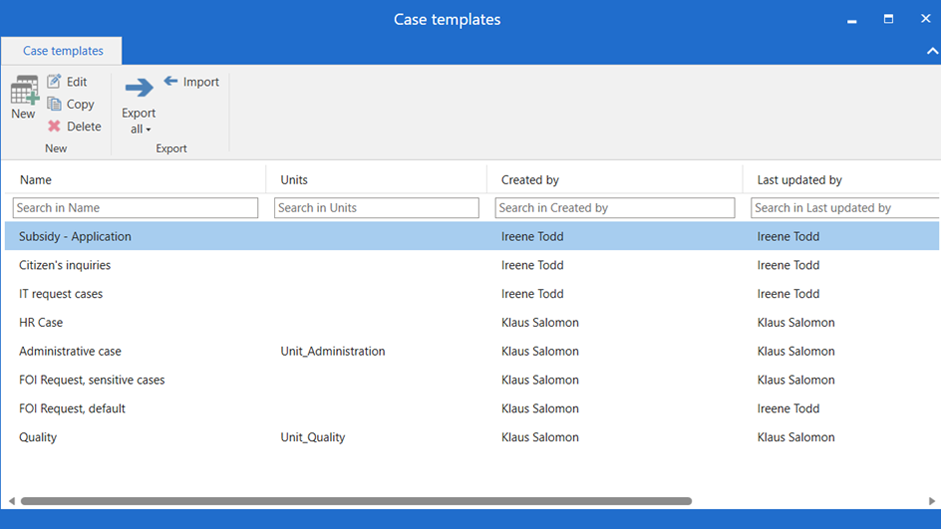
Administrators define case templates that users apply when creating new cases, ensuring consistent structure and execution from day one.

Book a demo